Maze
A game engine featuring a nice walk through a maze.
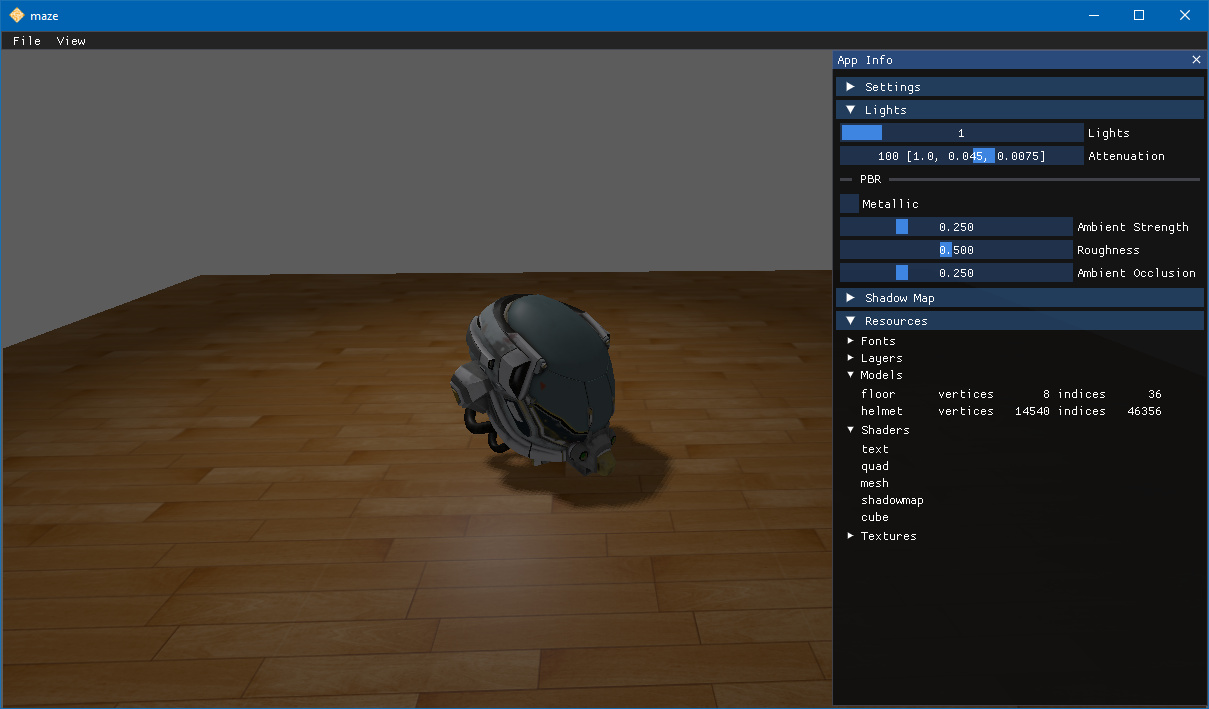
Features
- Platform portability: OpenGL and C++ for Windows and Linux
- Physically based rendering (PBR)
- Cook-Torrance microfacet specular BRDF
- glTF 2.0 materials: albedo, normal, occlusion, emissive and metallic-roughness maps, with KHR_texture_transform
- Point lights and directional light
- Clustered (volume-tiled) light culling
- Exponential variance shadow maps (EVSM) with Dual Kawase blur
- Reinhard tone mapping
- Physically based bloom
- Screen-space ambient occlusion (SSAO)
- Camera frustum and hardware occlusion culling
- Selectable anti-aliasing: FXAA or temporal (TAA)
- Shaders written in Slang, compiled at build time into one shader pack
- Build-time asset converter: glTF 2.0 and Wavefront OBJ models baked to an engine format, so the game links no asset parser
- BC7 and BC5 texture compression with mipmaps in KTX2, encoded on every core
- UI icons packed into a sprite atlas
- LCD subpixel text with subpixel positioning, rasterized with FreeType and shaped with HarfBuzz at build time
- Flexbox-based UI layout with Yoga
- Audio playback with miniaudio
- Draggable slider widget for Master/Sfx/Music volume, with mouse, keyboard and gamepad support
- Performance profiling with Tracy
- Gamepad support
- Dear ImGui debug and options UI
- Third-party license notices assembled at build time and shipped with the game
Project Organization
assets/          # game assets
docs/            # documentation
game/            # source files for maze
sponge/          # source files for sponge game engine
tools/           # tools and utility scripts, including the assetconv asset converter
Installing
Clone this repository.
Install vcpkg
The
VCPKG_ROOTenvironment variable must be set so that CMake can find vcpkg to install dependencies for the build.
Install vcpkg, a dependency and package manager for C++.
By far the quickest way to install vcpkg is to clone it into this project.
cd maze
git clone https://github.com/microsoft/vcpkg.git
cd vcpkg
bootstrap-vcpkg.bat
cd ..
setx VCPKG_ROOT vcpkg
If you installed vcpkg elsewhere, add an environment variable called VCPKG_ROOT that contains the location where you
installed vcpkg.
Install CMake
Use a package manager to install CMake, a cross-platform build system, on your platform.
For example, on Windows use WinGet to install CMake.
Building
Use a configuration preset to compile maze. Possible values are:
| Preset | Description |
|---|---|
ci-linux-debug |
Linux debug build |
ci-linux-release |
Linux release build |
ci-osx-debug |
MacOS debug build |
ci-osx-release |
MacOS release build |
ci-windows-debug |
Windows debug build (uses sccache) |
ci-windows-release |
Windows release build (uses sccache) |
windows-msvc-debug |
Windows MSVC debug build |
windows-msvc-release |
Windows MSVC release build |
To use the preset on Windows:
cmake.exe -B build --preset windows-msvc-release
cmake.exe --build build --target game --config Release
Running
On Windows, you can find the maze executable will be found in the build directory.
Or, for MacOS, the app bundle will be found in the build directory.